{{hb.noteA}}{{hb.noteB}}
Blockdistractions,not websites.
Keeptoit is a browser extension that checks each page against what you’re working on. What fits opens; the rest waits for later.
Free to start. Also available for {{hb.altName}}.
Keeptoit runs in Firefox, Zen, Chrome, Edge and Brave, on a computer.
Keeptoit runs on your computer, in Firefox, Zen, Chrome, Edge or Brave. Send yourself the link and open it there.
{{rm.msg}}
The internet is a very entertaining place.Your deadline is coming up.
Go on, see how it usually goes.
The story game needs a bigger screen. Open this page on your computer to play it, or watch the video demo.
Block 1 of 3
Finish the ASP.NET Core chapter
{{clock}}
In the real extension this starts a break: time to do the things you saved in Do Later.
Locked until 3:50 PM (strict mode)
Introduction to Identity on ASP.NET Core
Identity adds login to ASP.NET Core apps and manages users, passwords, profile data, roles and tokens.
.AddEntityFrameworkStores<AppDbContext>();
We caught it! You stayed on track.
This doesn't fit your session, so it's saved for later. Be proud of not giving in.
Nice try. The Keep is guarding this one.
What happens in this demo, in words
Plan. You type “Finish the ASP.NET Core chapter”, pick Study and add “Mechanical keyboards” as a topic. It’s flagged as off topic and removed, ASP.NET Core is added instead, strict mode is switched on, and you start the session.
Focus. The timer runs, and End Plan stays locked while strict mode is on.
Google search. “asp.net core identity setup” fits, so the results open as usual, and so does the Identity page in the docs.
Blocked page. A search for “best mechanical keyboards 2026” doesn’t fit, so it’s saved for later. You press Go Back.
YouTube search. The home feed is hidden. Searching “asp.net core login” shows only the videos about ASP.NET Core; the 4 other results never appear. While a video plays, the recommended videos are hidden.
Everything thatkeeps you to it.
See every featureFeeds hidden
Scroll less on the sites that pull you in.
Pages checked
What fits your topic opens; the rest waits in Do Later.
Nothing’s lost, just saved for later.
Saved for later. Phew, the distractions almost caught ya.
Opens on your break.
Your new tab
In a session, a new tab asks what you’re here to do. The rest of the time, it’s yours.
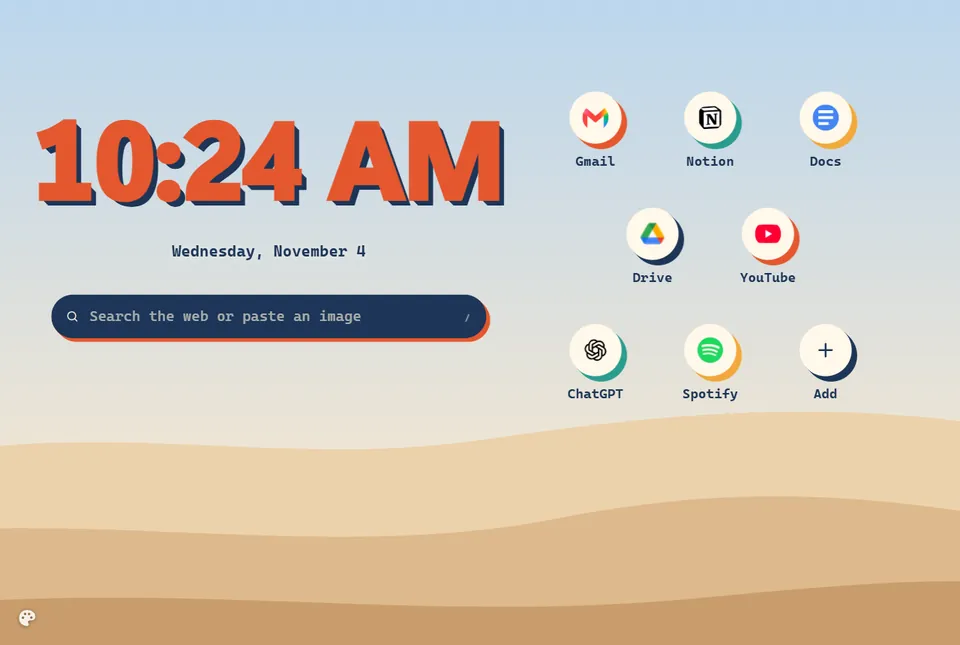
Keeptoit takes over the new tab to show your plan, and browsers don’t let us hand it back. So we let you make it fully yours instead.
- Nine layouts to start from
- Press E to move and style anything
- Your own photos, text and up to ten shortcuts
Focus blocks and breaks
Plan the session, breaks included.
Calendar
Plan your sessions ahead, and mark the days that need one.
Planned sessions start on their own, with a heads-up first.
Stats and goals
See where your time went.
12 day streakFinish a focus block on each active day.
A freeze covered WednesdayDays off don’t count
Weekly goals
Weekly goals keep count of your week.
Simplepricing.
Free
For everyone$0
- Every feature
- Full AI time on your first day
- A free week of full AI time when you make an account
- Then 60 minutes of AI time a day
When the hour is used up, your session keeps running and pages open unchecked.
Pro
{{pr.price}}{{pr.per}}
- Everything in Free
- Full AI time every day, with no daily hourly limit
- Every page checked, all day: none open unchecked
- The Pro look: a gold crown on the Keep and a PRO badge
- A gold Pro card to share your streaks
Prefer your own AI key? A $29.99 one-time licence lets you use it.
Upgrade inside Keeptoit, whenever you need it.
Questions? Answered.
More questionsIt isn’t a blocklist. A video that fits your topic opens; one that doesn’t waits for later.
Only what it needs to judge one page, and nothing else.
Sent to check a page
- Your session topic, and your intention if you wrote one
- The page’s site, address, title and short description
- For YouTube videos, the channel name
- Your search terms and the titles of the results
- Your reason, if you give one when you press It’s Relevant
Never sent
The page’s textPasswordsYour browsing historyYour other tabs
Pages are only checked during a focus block.
No account. No key. No card. To start. An account is optional; making one adds a free week of full AI time.
Yes. Off-time is built in; Keeptoit just asks first.
You can open the page anyway. It’s written down in your log, so you stay honest with yourself.
Ready whenyou are.
Add Keeptoit, write one sentence about what you’ll get done, and press Start Session.
Keeptoit runs in Firefox, Zen, Chrome, Edge and Brave, on a computer.
{{rm.msg}}